Gaming today isn’t just about what you play—it’s also about how easily you can access things inside the game.
Whether it’s a skin, a Battle Pass, or a full game, the experience often comes down to how quickly you can complete that step.
Most players don’t think about this at first.
You see something you like, you try to buy it, and move on. But over time, small issues start showing up—a payment fails, a bank blocks the transaction, or checkout just takes longer than it should.
It’s not a big deal once.
But when it keeps happening, it starts affecting the experience.
That’s why many gamers in India have shifted to using gift cards. Not because they change what you buy, but because they make the process smoother.
You redeem a code, the balance gets added, and after that, everything just works.
But this is where most confusion begins.
Buying a gift card is simple.
Redeeming it correctly is where people get stuck, mainly because each platform works differently.
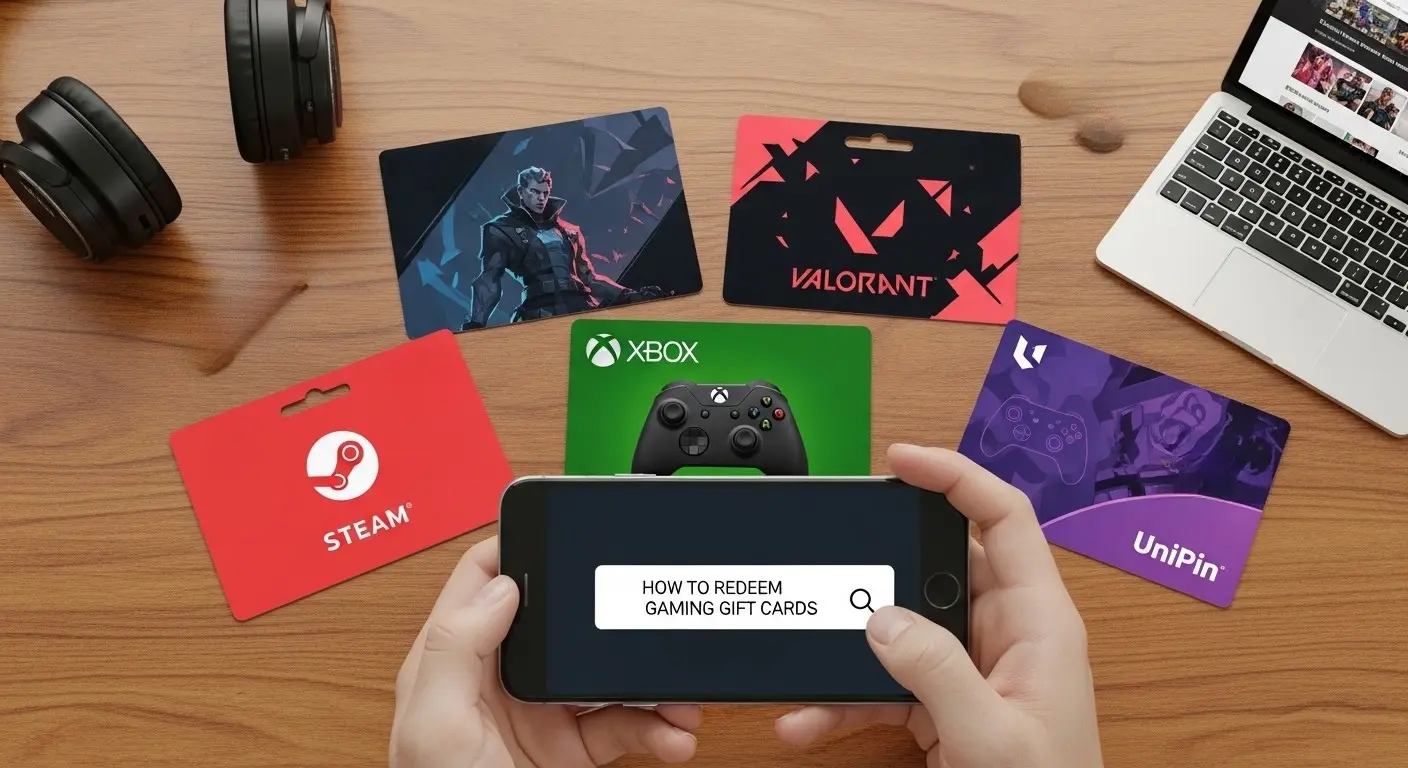
- A Steam gift card adds wallet balance
- Valorant converts into VP
- Xbox works through your Microsoft account
- UniPin lets you choose the game after redeeming
If you don’t understand this difference, even a simple code can feel confusing.
If you’re still figuring out which option fits your gaming style, you can start with our best gaming gift cards in India guide for gamers . And if you already know what you’re looking for, you can browse all available options through the gaming gift cards section on StanShop.
What really matters here is understanding how redemption works, because once you get that right, everything becomes simple.
🎮 Steam Gift Card – Understanding the Wallet System Before You Redeem
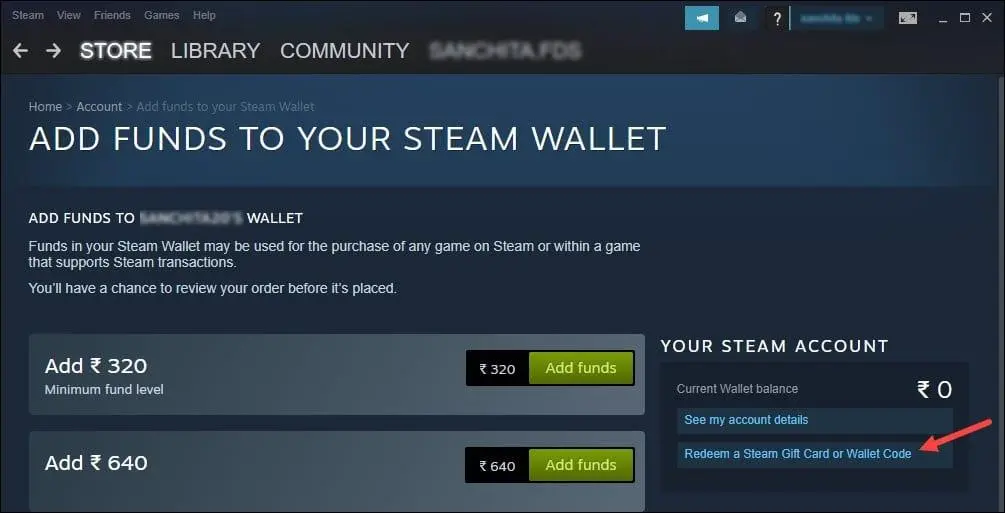
If you’ve spent time on Steam, you’ve probably noticed how often prices change. A game you wanted last week suddenly goes on sale and that’s something most PC gamers learn to wait for.
That’s why Steam works better when you separate adding money from spending it.
A Steam gift card simply adds balance to your Steam Wallet. You’re not buying anything immediately you’re giving yourself the flexibility to decide later.
👉 If you’re planning to add balance, you can explore Steam gift cards on StanShop.
How to Redeem
- Open Steam (app or browser)
- Log in to your account
- Go to Account Details
- Select Add funds → Redeem Gift Card
- Enter your code and confirm
If you prefer a quick walkthrough, this video shows the exact steps:
What Happens After
Your wallet is updated instantly, and you can use the balance anytime.
You can use it for games, DLCs, in-game purchases, or software.
If you want to understand how players use this more effectively over time, you can also read our why Steam gift cards are becoming popular in India guide.
🔫 Valorant Gift Card – When Timing Matters More Than Anything
If you play Valorant regularly, you already know how fast things move.
A new bundle drops. Your squad is talking about it. You want it instantly.
That’s where delays become frustrating.
Gift cards solve that by removing the waiting. You redeem once, get your VP, and you’re ready whenever something new appears.
👉 If you want quick top-ups, you can check Valorant gift cards on StanShop.
How to Redeem
- Go to Riot redeem page
- Log in
- Enter code
- Confirm
What Happens After
Your VP is added instantly and can be used right away.
You can spend it on skins, bundles, and Battle Pass.
If you want to understand how to avoid payment issues and buy safely, you can also go through our how to buy Valorant Points safely in India (2026) with gift cards guide.
🎮 Xbox Gift Card – When You Prefer Access Over Ownership
With Xbox, the experience changes.
Instead of choosing what to buy, you’re choosing what to play next.
Game Pass gives access to multiple games, which makes spending feel less risky and more flexible.
👉 You can explore Xbox gift cards on StanShop if you want to add balance or activate subscriptions.
How to Redeem
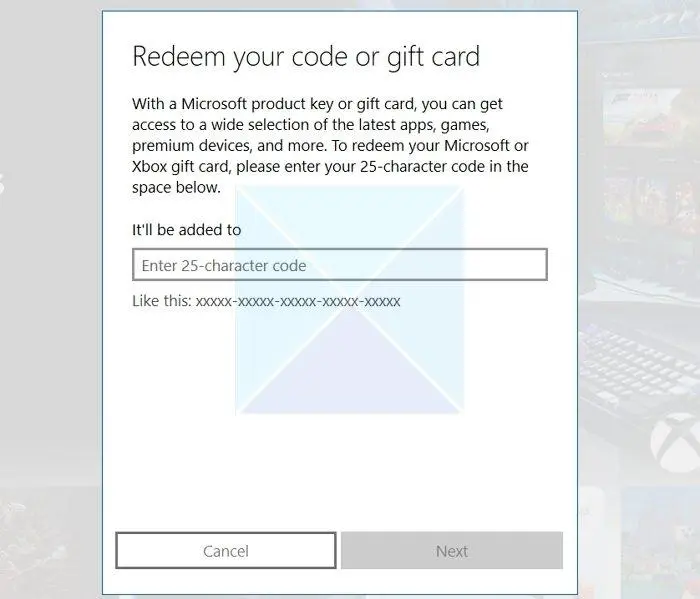
- Go to Microsoft redeem page
- Log in
- Enter code
- Confirm
What Happens After
Your balance is added instantly and can be used for Game Pass, games, or add-ons.
If you’re new to Xbox, it’s useful to understand Xbox Game Pass 2026 New Games: What You Can Play Using Gift Cards.
🎯 UniPin Gift Card – One System for Multiple Games
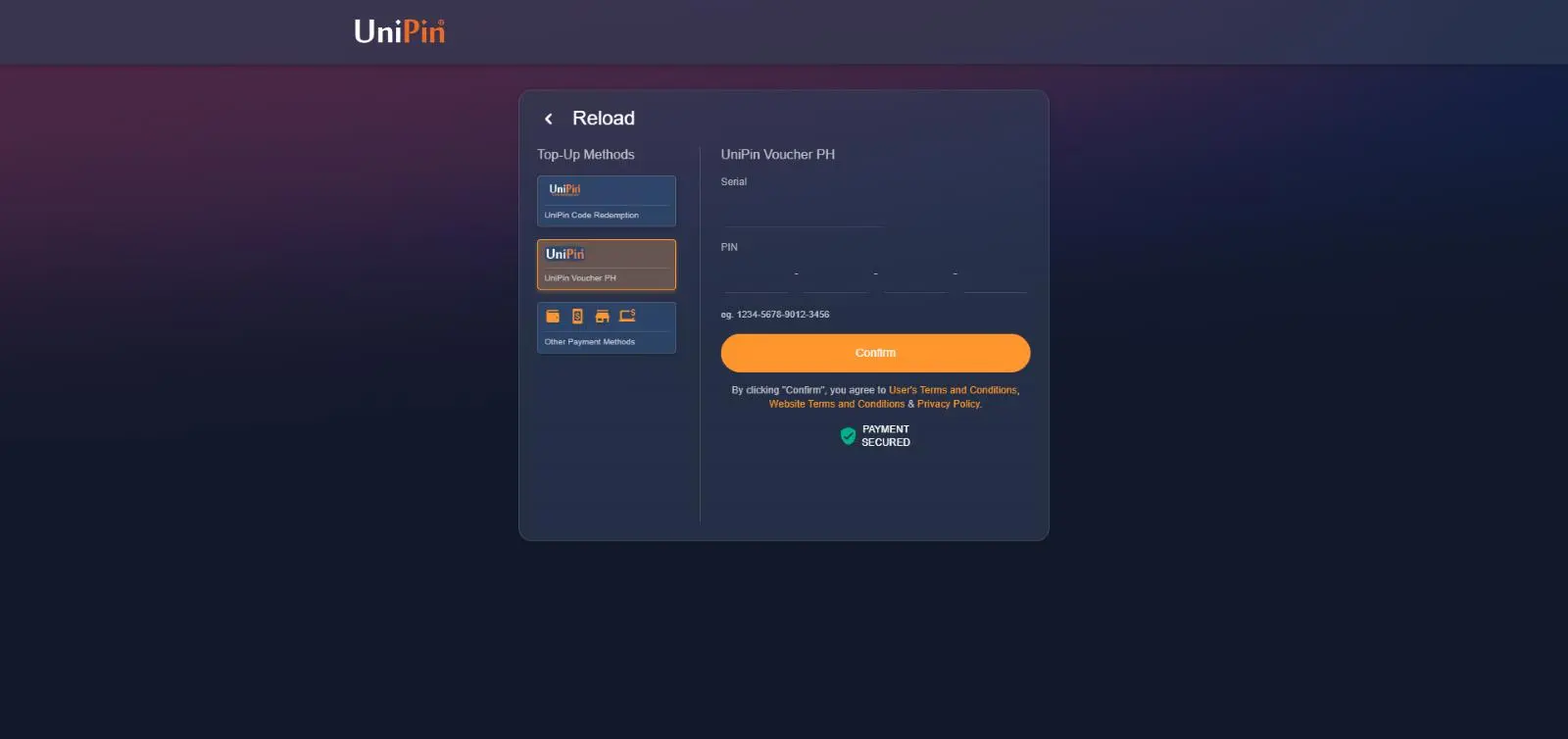
UUniPin works differently from everything else.
You don’t redeem directly into a game. You redeem on UniPin first, then choose where to use it.
👉 If you play across multiple mobile games, you can explore UniPin gift cards on StanShop.
How to Redeem
- Go to UniPin website
- Log in
- Enter voucher code
- Select game
- Complete top-up
What Happens After
Your selected game receives currency instantly.
If you want a step-by-step walkthrough, you can check our how to use UniPin for BGMI and Free Fire guide.
🎮 PlayStation Gift Card – Games + Subscriptions System
With PlayStation, spending doesn’t happen in just one way.
You’re not only buying games — you’re also managing subscriptions like PlayStation Plus, which gives access to online multiplayer, monthly games, and additional benefits.
Because of this, PlayStation sits somewhere between one-time purchases and ongoing access.
That’s why gift cards become useful here. Instead of going through payments every time, you add balance once and use it across both purchases and subscriptions.
👉 If you use PlayStation regularly, you can explore PlayStation gift cards on StanShop.
How to Redeem
- Open PlayStation Store
- Go to Redeem Codes
- Enter code
- Confir
If you prefer a quick visual guide, this video walks through the full process:
What Happens After
The balance is added to your wallet and can be used for games, subscriptions, and add-ons.
If you’re mainly playing on console, it’s also useful to understand how PlayStation gift cards support both game purchases and subscriptions like PlayStation Plus.
🧱 Minecraft Gift Card – One-Time Purchase System
With Minecraft, the system is much simpler compared to most other platforms.
There’s no store rotation, no bundles, and no continuous spending pressure. You usually make one purchase, and then play for as long as you want.
That’s what makes Minecraft different.
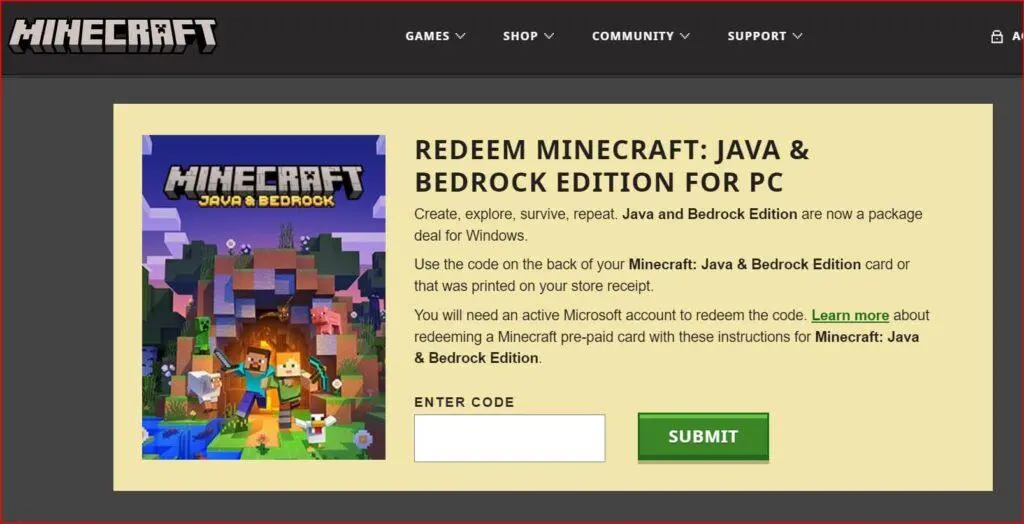
👉 If you’re planning to get started or want both versions of the game, you can explore Minecraft Java & Bedrock Edition on StanShop, which gives you access to both experiences in a single purchase
How to Redeem Minecraft Gift Card
- Go to Minecraft redeem page
- Sign in with Microsoft account
- Enter code
- Confirm
What happens after redemption
Once redeemed, the game is added directly to your account.
You can:
- Download it anytime
- Play single-player or multiplayer
- Access Java or Bedrock (depending on version)
Where It Works
- Java Edition
- Bedrock Edition
- Microsoft account
👉 One purchase = long-term access
Since Minecraft is a one-time purchase, it’s very different from games where spending happens continuously.
If you play across multiple games, it’s worth understanding how one-time purchases compare with ongoing in-game spending, especially when it comes to managing your overall gaming budget.
🎮 Roblox Gift Card – Continuous Spending Ecosystem
With Roblox, spending works very differently compared to other platforms.
There’s no single big purchase.
Instead, everything is built around smaller, frequent transactions — avatar items, game passes, upgrades, and in-game features.
Individually, these purchases don’t feel significant.
But over time, they add up quickly.
That’s where gift cards help.
They introduce a fixed balance, which makes spending more controlled without needing to track every small purchase manually.
👉 If you’re buying Robux regularly, you can check Roblox gift cards on StanShop.
How to Redeem
- Go to Roblox redeem page
- Log in to your account
- Enter your code
- Confirm
If you want to see how this works in real-time, this video explains it step by step:
What Happens After
Once redeemed, you receive:
- Robux (in-game currency)
or - Roblox account credit
Where It Works
- Avatar shop
- Game passes
- Premium upgrades
- In-game purchases
Why It Feels Different
Roblox is not about one-time spending.
It’s designed around ongoing engagement, which means having a fixed balance helps you stay in control over time.
Since spending in Roblox happens more frequently in smaller amounts, it helps to understand how these purchases add up over time and how having a fixed balance can make spending more controlled.
If you want a step-by-step walkthrough, you can also check our how to buy & redeem Roblox gift cards in India guide.
🏁 Final Thoughts
Redeeming a gift card is not complicated, it just feels that way when you expect every platform to work the same.
But once you understand the differences:
- Steam gives you flexibility
- Valorant gives you instant access
- Xbox gives you exploration
- UniPin gives you flexibility across games
And once you know where to enter the code and what happens after, the process becomes exactly what it should be:
👉 Redeem → Use → Play
FAQs
1. How do I redeem a gaming gift card in India?
You can redeem a gaming gift card by entering the code on the official platform. For example, Steam codes are redeemed in the wallet section, while Valorant codes are redeemed on Riot’s website.
2. How long does it take to redeem a gift card?
Gift card redemption is usually instant. Once you enter the correct code, the balance or currency is added to your account immediately.
3. Why is my gift card not working?
This usually happens due to:
- Incorrect code entry
- Region mismatch
- Redeeming on the wrong platform
- Expired or already-used code
Always double-check the platform and account before redeeming.
4. Can I use gaming gift cards on mobile?
Yes, most gift cards can be redeemed on mobile. Platforms like Roblox, Valorant, and UniPin support mobile redemption through their websites or apps.
5. Do gaming gift cards expire?
Most gaming gift cards do not expire, but it’s always best to redeem them soon after purchase to avoid any issues.
6. Can I transfer gift card balance to another account?
No, once a gift card is redeemed, the balance is linked to that account and cannot be transferred.
7. What is the difference between Steam, Valorant, and UniPin gift cards?
- Steam adds wallet balance
- Valorant converts into VP (in-game currency)
- UniPin lets you choose a game after redeeming
Each platform works differently, which is why understanding redemption is important.
8. Is it safe to buy gaming gift cards online in India?
Yes, as long as you buy from trusted platforms like StanShop and redeem through official websites, it is completely safe.
9. Can I use multiple gift cards on one account?
Yes, you can redeem multiple gift cards on the same account and the balance will be added together.
10. What should I do if I entered the wrong code?
If the code hasn’t been used, try entering it again carefully. If it still doesn’t work, contact the platform or seller support.